X5
Introduction
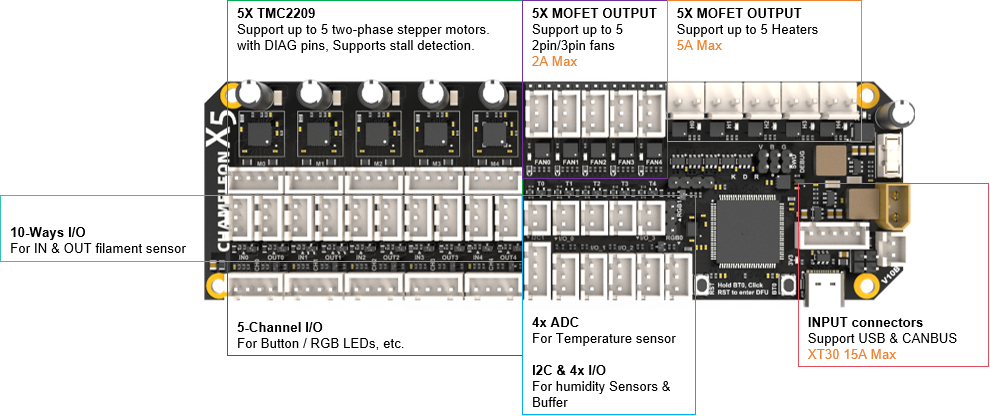
The Chameleon X5 can be used in various multi-color applications requiring multiple motors to work together, such as Type-A, Type-B, and Type-C systems. It also includes the necessary fan/heating control and temperature detection circuits for heating and drying functions.
It is based on the STM32F407VET6 microcontroller and TMC2209 stepper motor driver chip, with each channel equipped with the necessary I/O interfaces for filament input/output monitoring and status indication (buttons and LEDs) to ensure stable feeding.
The optional 5-channel heating and drying function includes dedicated interfaces for fan control and heating elements, as well as NTC temperature measurement, and also supports I2C sensors, such as temperature and humidity sensors.
Features
- Dimensions: 154mm x 48mm
- Based on STM32F407VET6 (168MHz Cortex-M4)
- Supports CANBUS & USB communication
- Onboard Power Supply:
- Input: 24V @ 15A max
- Onboard DC-DC power supply: 12V @ 3A, 5V @ 3A, 3.3V @ 0.8A
- 5-channel Material Feeding Support:
- 5 onboard TMC2209 drivers, supporting 5 stepper motors
- 10 general-purpose I/O pins for material insertion/extrusion monitoring
- 5 dual I/O connectors for buttons and LED indicators (with level shifting)
- 5-channel Hot Air Drying Support:
- 5x fans, support 2/3 fans, 12V/24V selectable, 2A Max
- 5x heating interfaces, 5A Max
- 5x NTC temperature sensor interfaces for temperature detection
- 1x I2C interface for temperature and humidity sensors
- 4x general-purpose I/O pins, use for external buffers
- 2x Neopixel RGB interfaces for indication or lighting
- Onboard BOOT0 and RST buttons
- Independent input interface board
Wiring diagram
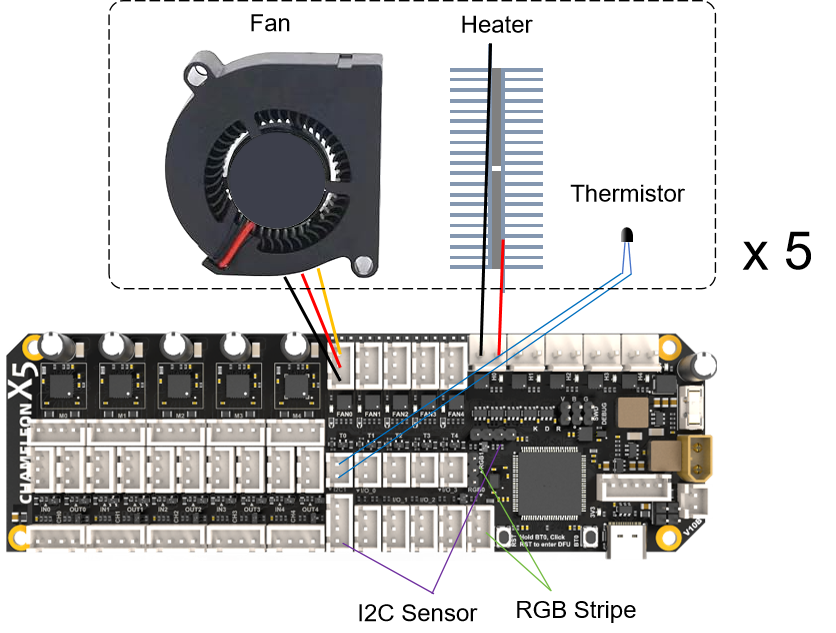
5 ways Heating and Drying example
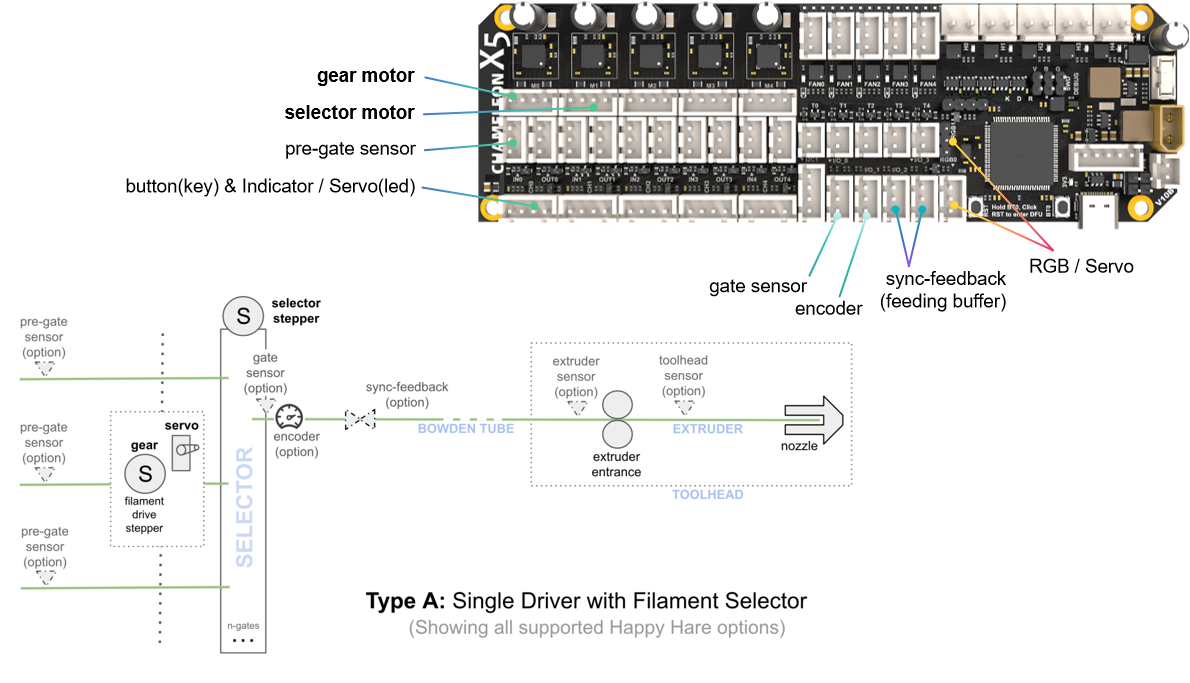
Type A usage example
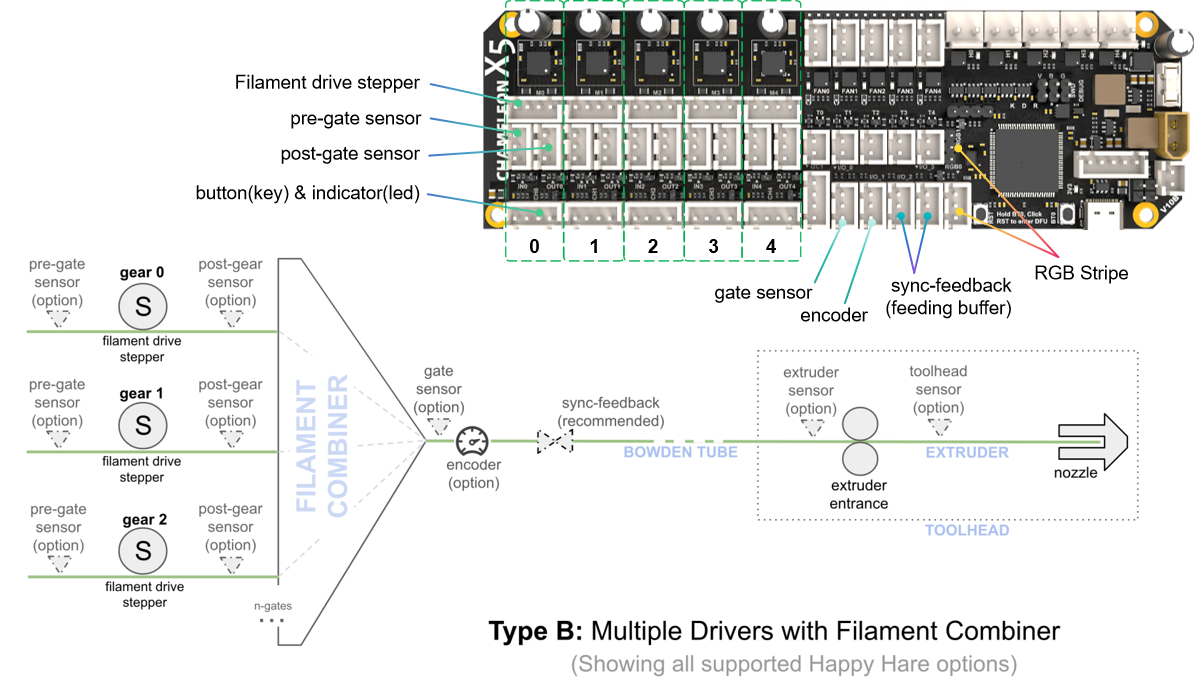
Type B usage example
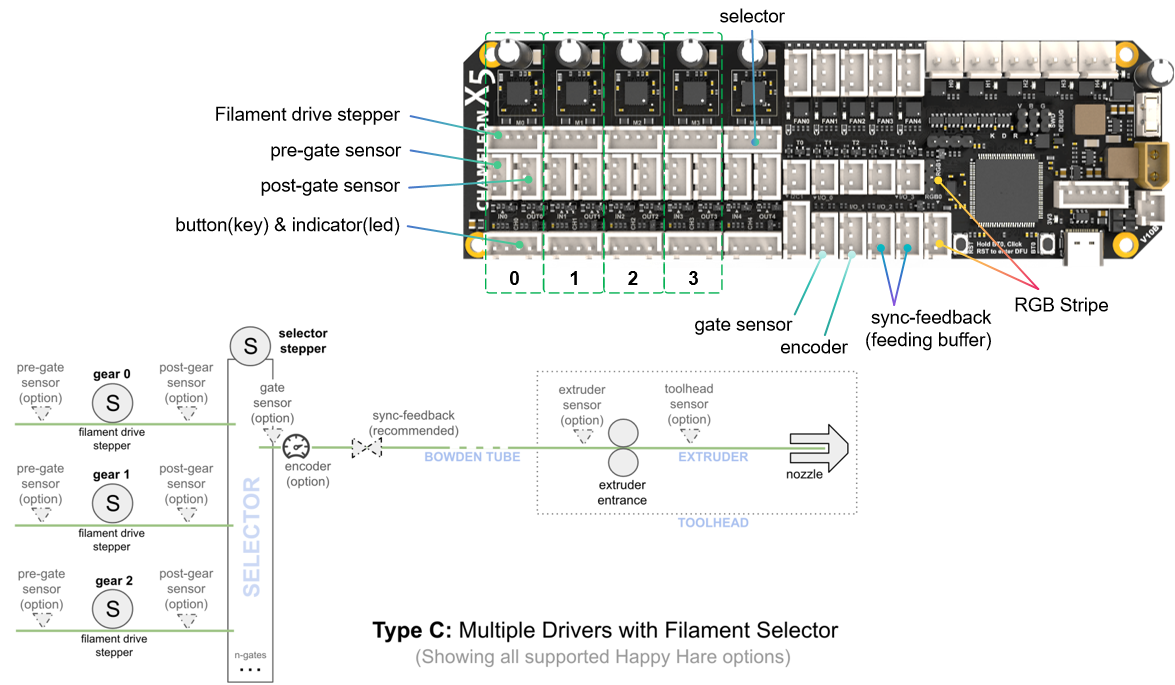
Type C usage example
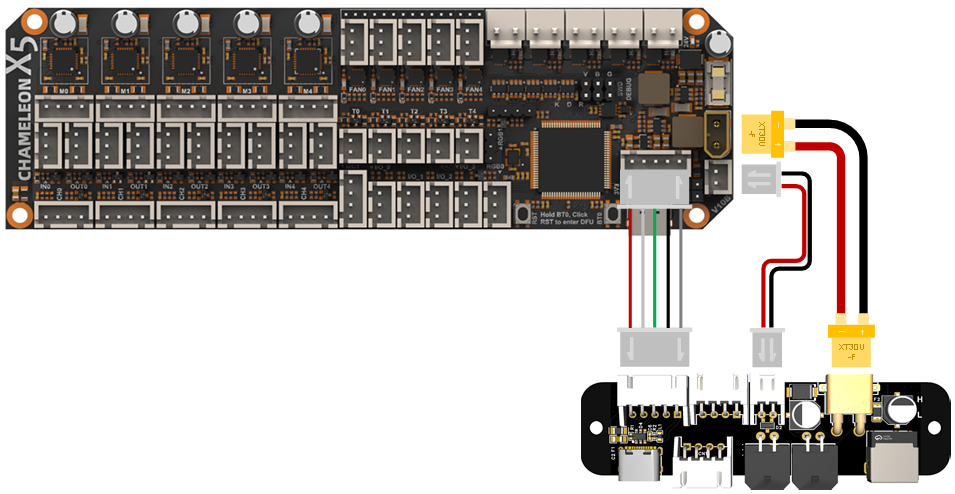
With X5 I/O Board
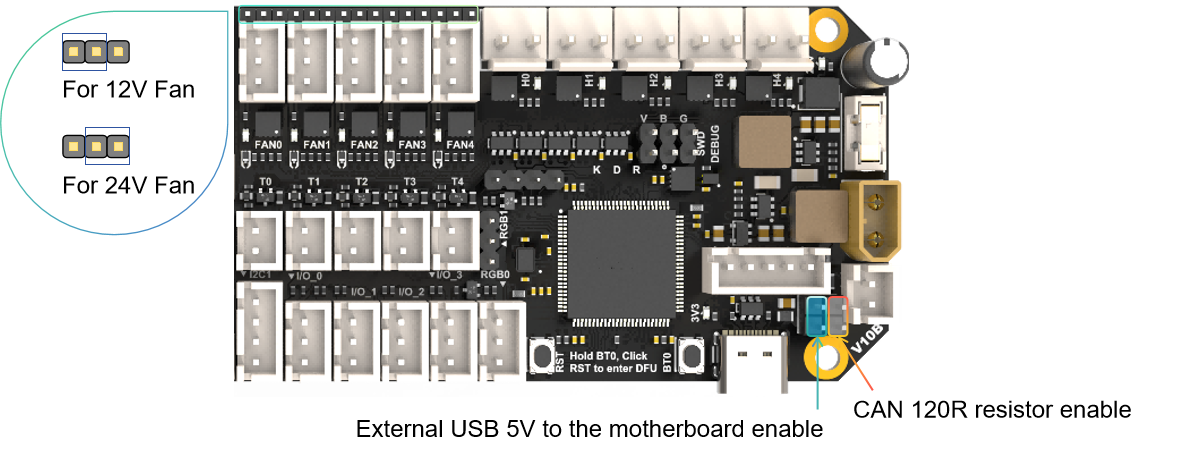
Jumper
!!! warning ⚠️Waining
The USB 5V jumper is for facilitating firmware updates. Please remove this jumper cap when connecting a 24V power supply; otherwise, the onboard DC 5V will be directly connected to the USB 5V, and if the motherboard malfunctions, it may damage your USB host device.
!!!
FIrmware Guide
Firmware configuration and compilation
Using no bootloader
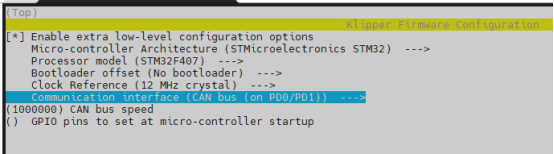
CANBUS communication mode
USB communication mode
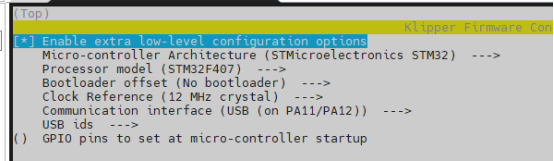
Firmware upload
DFU Mode
firmware flashing can only be performed after entering DFU mode.
How to get in DFU mode:
- hold BT0 button for 2 seconds
- Hold RST button for 2 seconds
- Release the RST button
- wait 2seconds
- Release the BT0 button
"lsusb" check if get in DFU mode
No Bootloader Mode or Upload the Katapult Bootloader
Command:
cd ~/klipper
make flash FLASH_DEVICE=0483:df11
Attachments
For more documents, please check https://github.com/FYSETC/CHAMELEON_X5
Updated on: 03/02/2026
Thank you!