3.1 Power Connection
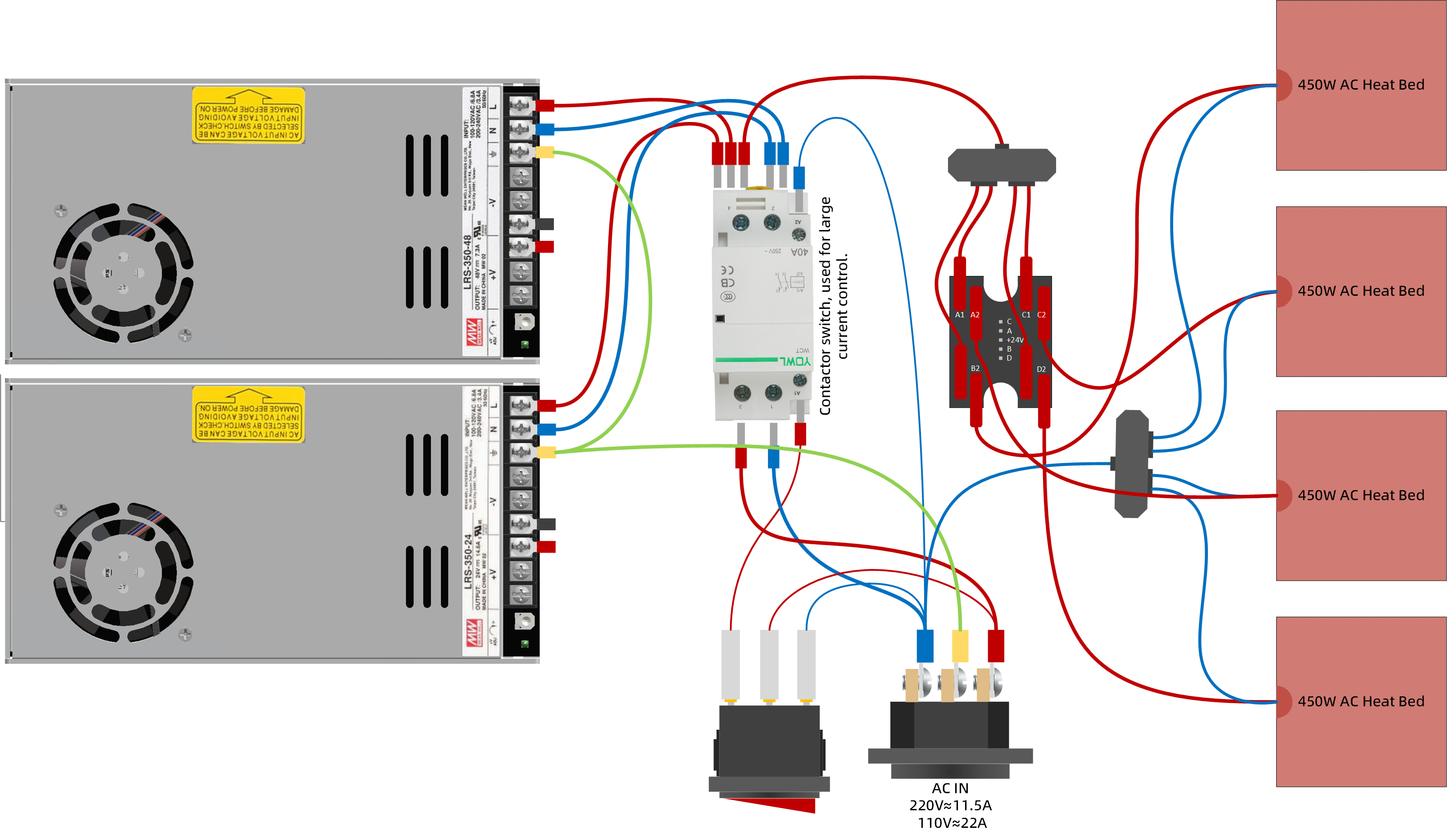
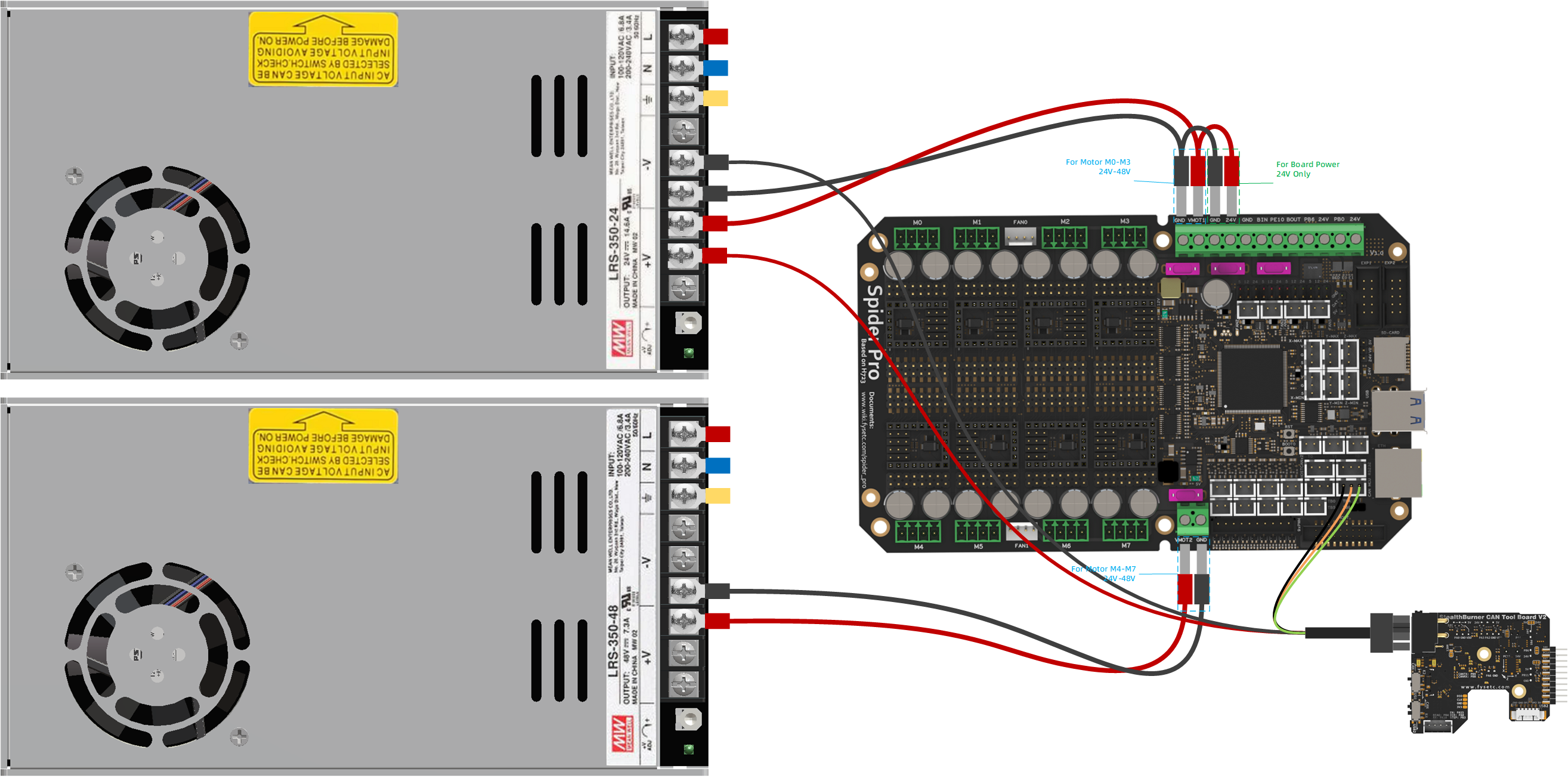
When the printer leaves the factory, most of the AC and DC connections have been connected. You only need to connect the hot bed, motor and other peripherals to use it. If you need to repair or modify, please refer to the following diagram:
The following figure shows the connection diagram of AC
!!! note Note
Since the Venture XL has a relatively large current, in order to make the machine safer, we use an AC contactor as the main power switch. It will make a "clicking" sound when it is in action. Please don't panic, this is normal.
!!!
The following figure shows the connection diagram of DC
Updated on: 01/07/2026
Thank you!