UCAN
1. Introduction
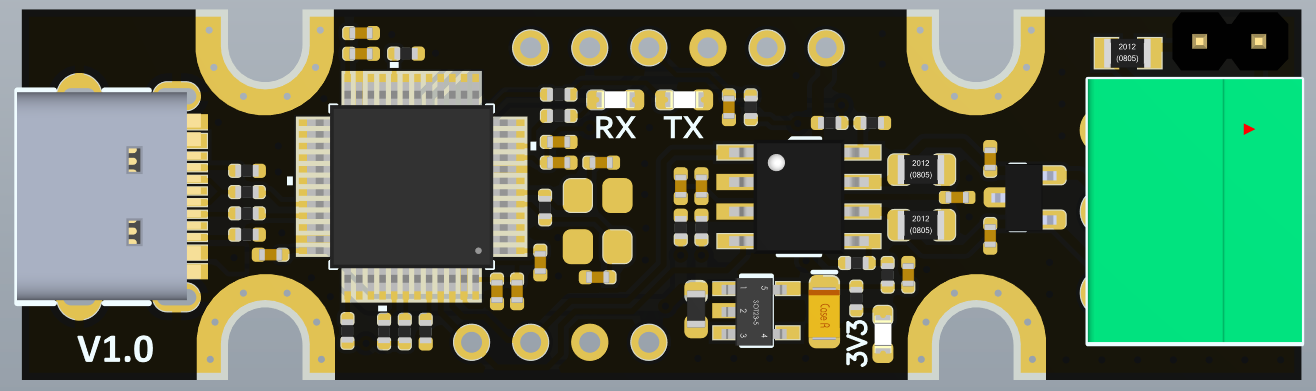
UCAN is an open source USB-to-CAN interface board, based on the STM32F072 chip and candleLight open source firmware. It supports linux, windows, and mac. Of course, you can also develop your own firmware to use on it, as it is completely open source.
2. Features
- Supports CAN2.0A and B, with baud rates up to 1M
- Compatible with candleLight V1 hardware
- Featrues a native socketcan support with candleLight firmware
- 3-pin screw terminal: CANH, CANL, GND
- Headers to enter bootloader for firmware updates and SWD interface
- Headers to CAN interface before transceiver
- Headers to enable/disable termination,On-board termination resistors(2 x 59R) are used by default
3. Hardware
UCAN is based on the STM32F072CBT6, so PA11/PA12 is connected to USB-C, and PA8/PA9 is connected to CAN interface. Please refer to the circuit diagram for more information.
3.1 About Terminating Resistors
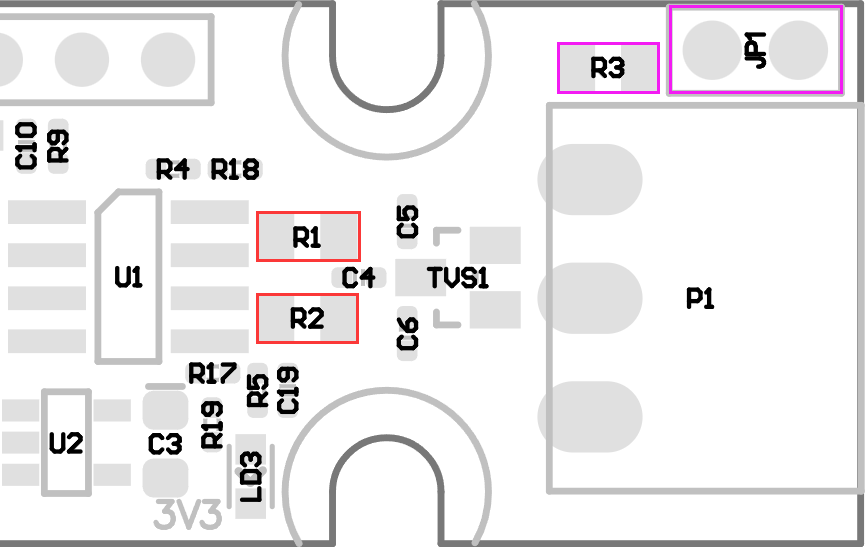
Currently there are two ways to terminate the resistor. The default termination is composed of two 59R resistors (R1/R2), as shown in the red position in the figure below. The alternate location consists of a 120R resistor and a two-pin jumper, shown in magenta. There is no performance difference, but the default is the 2 59R resistors. For more info please check the Schematic Diagram.
4. Firmware
UCAN has the firmware flashed when it leaves the factory, so there is no need to flash it again in most cases. If the CAN device appears on the computer when plugged in via USB, it means that it is working properly.
If you want to flash the firmware again, follow the steps below:
- Prepare tweezers or wire and a USB-C data cable that can communicate.
- open https://canable.io/updater/canable1.html
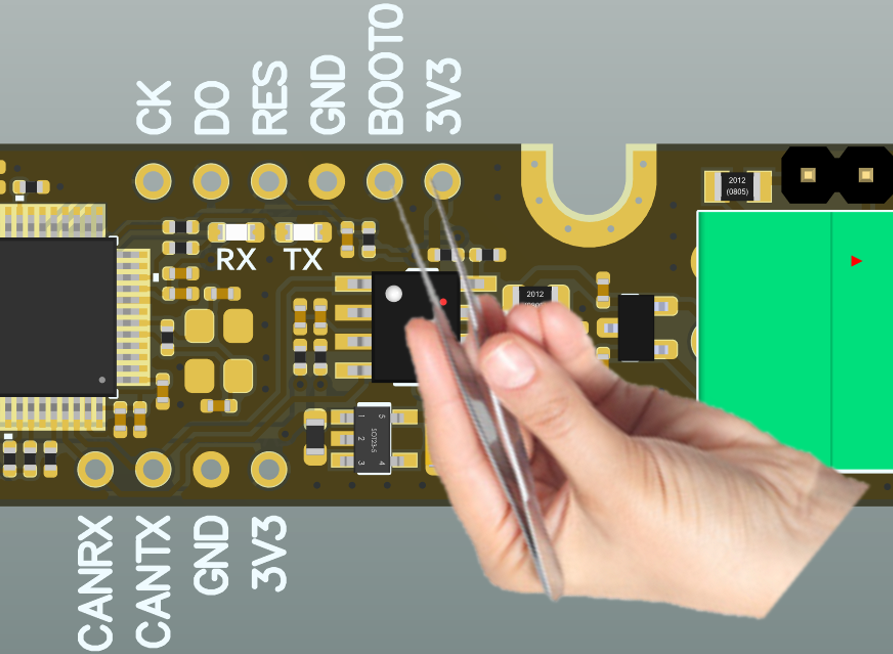
- Use tweezers or wires to short-circuit BOOT0 and 3.3V until the USB cable is plugged in and the board is powered. At this time, the board will enter DFU mode, and the webpage will be able to detect the device.
- Click the “Connect and Upload” button to flash the firmware
5. Related documents:
All files (Include Schematic Diagram and 3D Step file.) are all on github at:
https://github.com/FYSETC/UCAN/tree/main
Updated on: 03/08/2026
Thank you!